Updating Posts
Estimated time to read: 2 minutes
Now we'll implement the Update operation to allow users to edit their existing posts.
Navigate to components/Posts.tsx and follow the steps below:
Step 1: Define the Update Function
// src/components/Posts.tsx

const editPost = async (id: string) => {
  const caption = window.prompt("Caption")
  if (!caption) return;   // stop if empty

  const editedPost = await client.models.Post.update({
    id,
    caption: caption,
    date: new Date().toLocaleString(),
  })
}
editPosttakes the postidas a parameter to identify which post to update- Prompts the user for a new caption
- The
.update()method sends the updated data to your backend - Updates the
dateto reflect when the edit was made
Notice there are no
userIdandimagePathfields. You don’t need to pass fields you don’t want to change; Amplify preserves existing values.
Step 2: Attach the editPost function to the Edit button
Replace this:
// src/components/Posts.tsx

<div className="post-buttons">
  <button>Edit</button>
  <button>Remove</button>
</div>
// src/components/Posts.tsx

<div className="post-buttons">
  <button onClick={() => editPost(id)}>Edit</button>
  <button>Remove</button>
</div>
Now it should work!
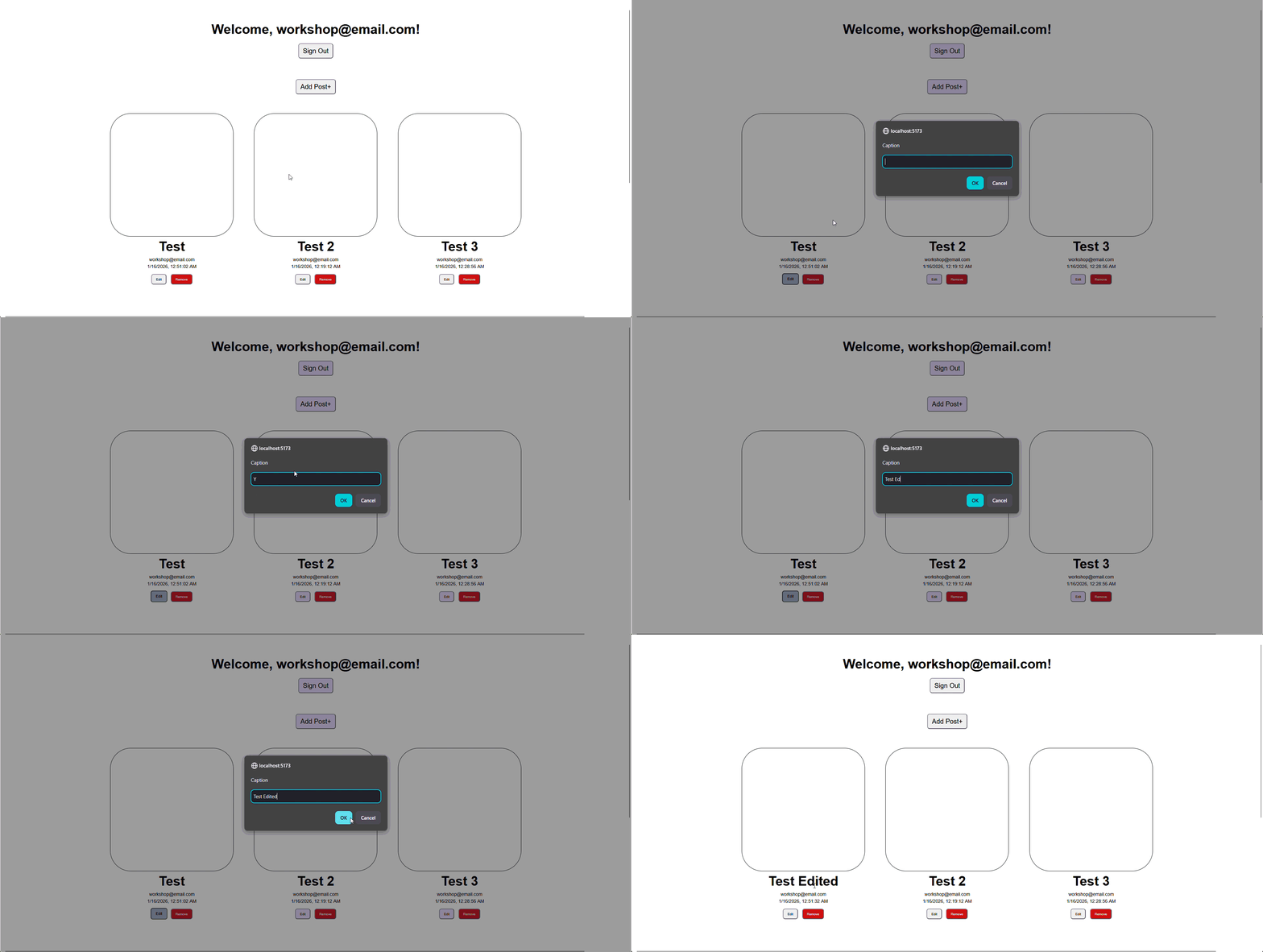
Step 3: Add Authorization Check
We do not want other users to see and an edit button on posts that they do not own. Let's create an authorization function to see if the logged user owns the post.
// src/components/Posts.tsx

const isAuthor = (author: string) => {
  if (user.userId == author) {
    return true
  } else {
    return false
  }
}
Step 4: Pass userId in your map function
Inside your return function, update posts.map() function to include userId
// src/components/Posts.tsx
...
  {posts.map(({ id, caption, email, date, userId }) => (
...
Step 5: Conditionally render Edit and Remove buttons using the isAuthor check
Replace this:
// src/components/Posts.tsx

<div className="post-buttons">
  <button onClick={() => editPost(id)}>Edit</button>
  <button>Remove</button>
</div>
// src/components/Posts.tsx

{isAuthor(userId!) &&
  <div className="post-buttons">
    <button onClick={() => editPost(id)}>Edit</button>
    <button>Remove</button>
  </div>
}
Great, now it only shows the Edit button if the current user is also the post's author
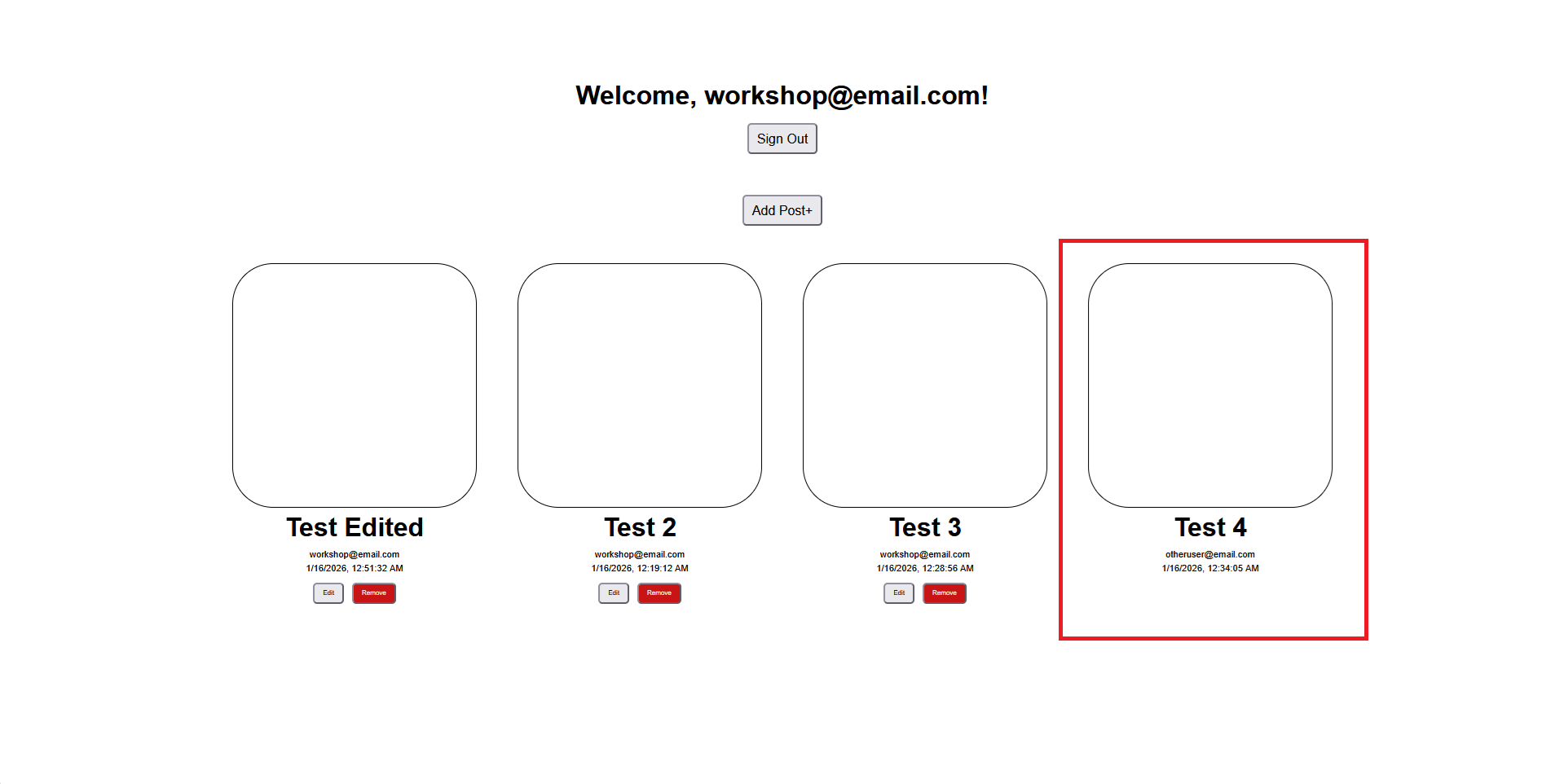
Congrats, you now have post editing functionality!