Deleting Posts
Estimated time to read: 2 minutes
Now we'll implement the Delete operation to allow users to remove their posts.
Navigate to components/Posts.tsx and follow below:
Step 1: Define the Delete Function
// src/components/Posts.tsx

const deletePost = async (id: string) => {
  const deletedPost = await client.models.Post.delete({
    id,
  })

  console.log("Delete Post Result: ", deletedPost)
}
What this does:
- The function takes the post
idas a parameter to identify which specific post to delete - The
.delete()method removes the post from your backend via AWS AppSync - The deleted post data is returned as a response for confirmation
- Once deleted, the post is permanently removed from DynamoDB
Step 2: Attach deletePost function to Remove button
// src/components/Posts.tsx

{isAuthor(userId!) &&
  <div className="post-buttons">
    <button onClick={() => editPost(id)}>Edit</button>
    <button onClick={() => deletePost(id)}>Remove</button>
  </div>
}
- Uses the same
isAuthorcheck to ensure only post authors can delete their posts onClick={() => deletePost(id)}passes the postidto thedeletePostfunction when clicked- Client-side authorization prevents unauthorized users from seeing delete options
Step 3: Confirm if working
After clicking the Remove button, check your terminal.
Deleted Post Result: Object...
If logs return a non null Object, it means the deletion is working. The post should also disappear from the UI automatically thanks to the real-time subscription we set-up in earlier in Reading Posts.
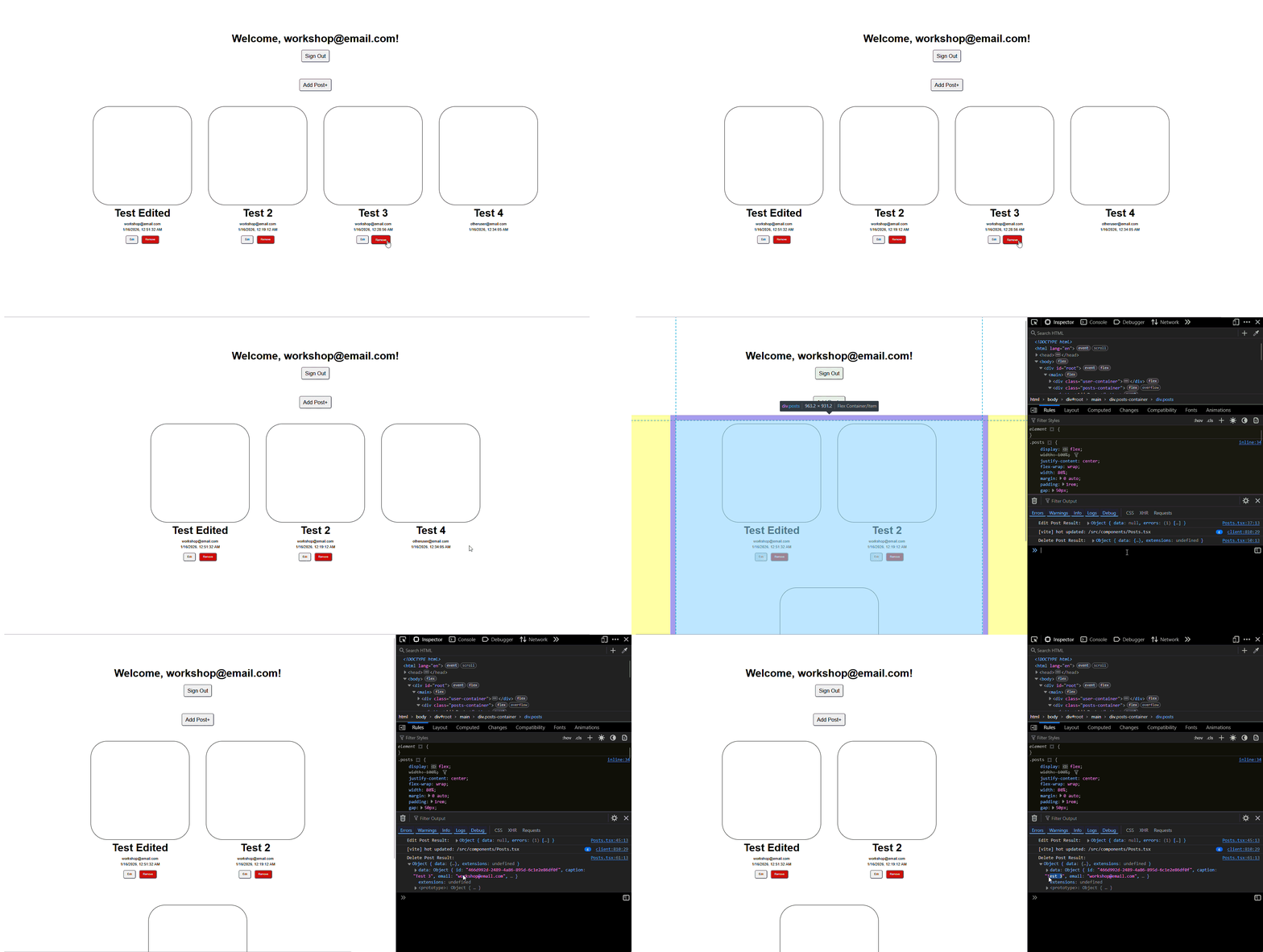
Result:
- The post is immediately removed from DynamoDB
- The
observeQuerysubscription detects the deletion - The UI automatically updates to remove the post from the list
- All users on the application see the post disappear in real-time
Security Features:
- Only the post owner can see and use the Remove button
- Backend authorization prevents unauthorized deletion attempts
userIdownership is verified before allowing deletion
Congrats, you now have a full-on CRUD application!